Upgrading from the RTX 4070 Super to an RTX 5060 Ti with 16GB VRAM caused inference speeds for a 14B model to jump from 14 tokens/sec to 44 tokens/sec. The difference in VRAM is only 4GB, yet this small gap fundamentally changes the usability of local LLMs.
As of April 2026, the RTX 4070 Super is discontinued and available only on the used market, while the RTX 5060 Ti with 16GB is sold new. Which should you choose: 12GB or 16GB of VRAM? This article presents real-world data from tests on 15 models conducted using the same Oculink dock (MINISFORUM DEG1) to help inform your decision.
- The RTX 4070 Super (12GB) outperforms in CUDA core count and bandwidth, making it 10–15% faster than the 5060 Ti for models of 8B or smaller.
- Offloading occurs with 14B models, widening the inference speed gap to approximately three times (44 vs. 14 tokens/sec).
- If you plan to use models larger than 14B at this price point, choose the RTX 5060 Ti with 16GB.
The content may be outdated.
- Comparison: RTX 4070 Super vs. RTX 5060 Ti 16GB Specs
- Small Models (~8B) Real-world Test — A Comfortable Zone Even with 12GB VRAM
- Medium Models (9B–14B) Real-world Test — The Wall of 12GB VRAM
- Large Models (22B+) and Dual-GPU Performance
- Recommendations by Use Case — Which to Choose: RTX 4070 Super or RTX 5060 Ti?
- Summary: Where is the Boundary Between 12GB and 16GB VRAM?
- References
Comparison: RTX 4070 Super vs. RTX 5060 Ti 16GB Specs
Let’s start by listing the basic specifications of both GPUs.
| Item | RTX 4070 Super | RTX 5060 Ti 16GB |
|---|---|---|
| VRAM | 12GB GDDR6X | 16GB GDDR7 |
| CUDA Core Count | 7,168 | 4,608 |
| Memory Bus Width | 192bit | 128bit |
| Memory Bandwidth | 504 GB/s | 448 GB/s |
| TDP | 220W | 180W |
| Sales Status | Discontinued / Used only | New units available |
| AI Usage Estimate | Comfortable for 8B models; limited for 14B+ | Comfortable for 14B models; runs up to 22B+ as well |
A surprising fact emerges when looking at the numbers alone. The RTX 4070 Super boasts 7,168 CUDA cores, significantly outpacing the RTX 5060 Ti’s 4,608. Its memory bandwidth is also superior, at 504 GB/s versus the 5060 Ti’s 448 GB/s. This means that in terms of pure computational performance, the older-generation 4070 Super holds an advantage.
So what are the RTX 5060 Ti’s strengths? The answer lies solely in VRAM capacity. As demonstrated by the real-world data below, this mere difference of 4GB between 12GB and 16GB becomes a critical branching point for local LLMs.
Test Environment
The verification environment used on our site is as follows:
- CPU: Intel Core i7-14700F
- RAM: 96GB DDR5
- GPU1: NVIDIA GeForce RTX 5080 16GB (Direct PCIe x16 connection, measured as a reference value)
- GPU2: Swapped from RTX 4070 Super 12GB to RTX 5060 Ti 16GB (MINISFORUM DEG1 Oculink connection)
- Software: Ollama 0.20.5 / NVIDIA Driver 595.97 / Windows 11
Measurement conditions were based on the median value of three runs per model, with generation set to 512 tokens and prompts standardized in Japanese. Since both the RTX 4070 Super and RTX 5060 Ti were tested using the same Oculink dock, differences due to connection methods have been eliminated.
Small Models (~8B) Real-world Test — A Comfortable Zone Even with 12GB VRAM
Models with parameter counts of 8B or less typically consume between 3–6GB of VRAM, leaving plenty of room even on the RTX 4070 Super’s 12GB. In this range, the 4070 Super outperformed the 5060 Ti due to its superior CUDA core count and bandwidth.
| Model | VRAM Usage | RTX 4070 Super | RTX 5060 Ti | RTX 5080 (Reference) |
|---|---|---|---|---|
| phi4-mini:3.8b | 3.5GB | 150 tokens/sec | 137 tokens/sec | 242 tokens/sec |
| gemma3:4b | 3.8GB | 130 tokens/sec | 117 tokens/sec | 194 tokens/sec |
| llama3.1:8b | 5.3GB | 89 tokens/sec | 80 tokens/sec | 146 tokens/sec |
| deepseek-r1:8b | 5.5GB | 82 tokens/sec | 74 tokens/sec | 135 tokens/sec |
In the phi4-mini:3.8b test, the 4070 Super achieved 150 tokens/sec compared to the 5060 Ti’s 137 tokens/sec—a difference of about 10%. Similar trends were observed with llama3.1:8b and deepseek-r1:8b, where the 4070 Super consistently outperformed by 10–15%.
The reason for this gap is simple: there is a more than 1.5x difference in CUDA core count (7,168 vs. 4,608). As long as VRAM has sufficient headroom and the entire model fits on the GPU, the pure computational throughput translates directly into speed.
In terms of practical use? Both cards can achieve over 70 tokens/sec for 8B models, which feels nearly real-time. If your usage is limited to this range, hunting for a used RTX 4070 Super would be a rational choice.
Medium Models (9B–14B) Real-world Test — The Wall of 12GB VRAM
The situation changes once model sizes exceed 9B. This is where the true branching point between 12GB and 16GB VRAM becomes apparent.
| Model | VRAM Usage | RTX 4070 Super | RTX 5060 Ti | RTX 5080 (Reference) |
|---|---|---|---|---|
| qwen3.5:9b | 7.7GB | 68 tokens/sec | 60 tokens/sec | 107 tokens/sec |
| gemma4:e4b | 9.5GB | 105 tokens/sec | 92 tokens/sec | 159 tokens/sec |
| gemma3:12b | 8.7GB | 54 tokens/sec | 48 tokens/sec | 92 tokens/sec |
| phi4:14b | 9.4GB | 14 tokens/sec (Offloaded) | 44 tokens/sec | 87 tokens/sec |
| qwen3:14b | 9.3GB | 32 tokens/sec | 43 tokens/sec | 84 tokens/sec |
The “Offloading Wall” Occurring with phi4:14b
A key result to note is that of the phi4:14b test. The VRAM usage was 9.4GB, which appears well within the 12GB limit. However, on the RTX 4070 Super, offloading (a process where part of the model is swapped out to system RAM) occurred, causing speeds to plummet to just 14 tokens/sec. Compared to the 5060 Ti’s 44 tokens/sec, there was a roughly threefold difference.
Why does a 9.4GB model not fit on a 12GB GPU? VRAM is consumed by more than just the model itself; it also includes KV cache during inference, CUDA contexts, and driver overheads. In reality, usable VRAM is typically 1–2GB less than the nominal value. It would be safe to assume the RTX 4070 Super’s “effective limit” is around 10GB.
In contrast, gemma4:e4b recorded a strong 105 tokens/sec on the 4070 Super despite having similar VRAM usage (9.5GB). This suggests that differences in model architecture and memory allocation patterns play a role. Note that even with similar VRAM consumption, not all models behave identically.
Another Key Result: qwen3:14b
The qwen3:14b test showed VRAM usage of 9.3GB, with speeds of 32 tokens/sec on the RTX 4070 Super and 43 tokens/sec on the RTX 5060 Ti. While not as dramatic a difference as phi4:14b, the RTX 5060 Ti was about 35% faster here. Although offloading wasn’t explicitly reported for the 4070 Super in this case, it is common for memory access efficiency to drop when VRAM headroom becomes tight.
In the local LLM community, there are reports that quantized models of the Gemma 4 series run faster than their BF16 counterparts. Selecting GGUF-quantized models can further reduce VRAM consumption, leaving room for utilizing medium-sized models even on a 12GB environment. However, this comes with an unavoidable trade-off in accuracy due to quantization.
Large Models (22B+) and Dual-GPU Performance
For models of 22B parameters or larger, the RTX 4070 Super’s 12GB VRAM becomes physically insufficient in many cases. From here on out, it is the domain of the RTX 5060 Ti.
| Model | VRAM Usage | RTX 4070 Super | RTX 5060 Ti | RTX 5080 (Reference) |
|---|---|---|---|---|
| codestral:22b | 12.9GB | — (>12GB) | 31 tokens/sec | 63 tokens/sec |
| gemma4:26b (MoE) | 14.3GB | 20 tokens/sec | 37 tokens/sec | 40 tokens/sec |
| qwen3.5:35b-a3b (MoE) | 14.5GB | 7 tokens/sec | 19 tokens/sec | 20 tokens/sec |
The codestral:22b requires 12.9GB of VRAM, making it impossible to measure on the RTX 4070 Super in our test environment. On the RTX 5060 Ti, however, we recorded a practical speed for code generation tasks at 31 tokens/sec.
The gemma4:26b and qwen3.5:35b-a3b are models utilizing MoE (Mixture of Experts) architecture, which keeps VRAM consumption relatively low compared to their parameter counts. Nevertheless, they require around 14GB of VRAM, causing significant offloading on the RTX 4070 Super. Specifically for qwen3.5:35b-a3b, there was a roughly 2.7x speed difference (7 tokens/sec vs. 19 tokens/sec).
In overseas communities like Reddit’s r/LocalLLaMA, users have shared reports on the Gemma 4 26B model stating that while it excels at structured tasks, code generation, and JSON format adherence, its agent-like multi-step reasoning tends to lose context after just 3–4 steps. Being able to run models of this class with 16GB VRAM offers a significant advantage depending on the use case.
The Gap Widens Further in Dual-GPU Configurations
We also measured dual GPU inference setups, pairing an RTX 5080 as the primary GPU with either a 4070 Super or an RTX 5060 Ti as secondary.
| Model | 5080 + 4070 Super (Total 28GB) | 5080 + 5060 Ti (Total 32GB) |
|---|---|---|
| gemma4:26b | 115 tokens/sec | 111 tokens/sec |
| qwen3.5:35b-a3b | 48 tokens/sec | 97 tokens/sec |
| qwen3.5:27b | 3.8 tokens/sec | 27 tokens/sec |
| qwen3:32b | 10.8 tokens/sec | 26 tokens/sec |
The result for qwen3.5:27b is shocking. With a total VRAM configuration of 28GB (5080+4070S), it only achieved 3.8 tokens/sec, whereas the 32GB configuration (5080+5060Ti) reached 27 tokens/sec—a roughly sevenfold difference. This is likely because the model barely fits in 28GB VRAM, forcing offloading to system RAM.
The gemma4:26b was an exception, performing at similar levels (115 vs. 111 tokens/sec) regardless of whether it ran on a 28GB or 32GB configuration. Due to the characteristics of MoE architecture, this model only requires about 14.3GB VRAM and fits comfortably even in the smaller setup. In dual-GPU environments, the margin between a model’s VRAM usage and total available capacity dictates performance.
Recommendations by Use Case — Which to Choose: RTX 4070 Super or RTX 5060 Ti?
Based on the real-world data, here are clear conclusions for each use case.
If your primary focus is Local LLMs (models up to 8B) → RTX 5070 12GB
If you primarily run models of 8B or less and also want a card capable of gaming, the RTX 5070 with 12GB is the choice. It has more CUDA cores for LLM inference up to 8B (10–15% faster than the 5060 Ti) and outperforms it in gaming performance as well. For a PC intended for both AI and gaming rather than an AI-only machine, the RTX 5070 offers higher satisfaction.
If you want to use Local LLMs (models of 14B or larger) → The only choice is RTX 5060 Ti 16GB
You will see a threefold speed difference at the 14B class, and models for 22B+ simply won’t run on an RTX 4070 Super. As future LLMs trend toward higher parameter counts, having 16GB of VRAM serves as insurance for the future. There is no room for hesitation.
If your primary focus is Image Generation (Stable Diffusion / ComfyUI) → RTX 5060 Ti 16GB
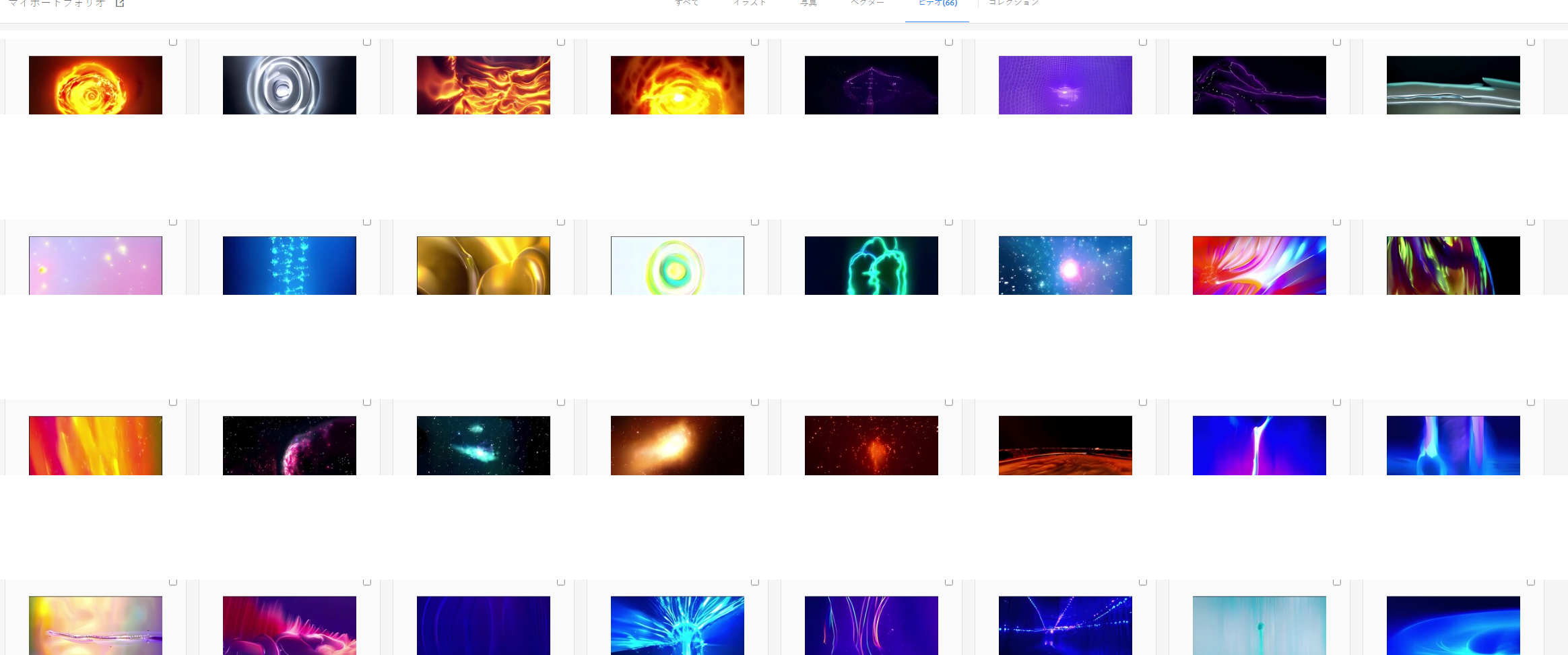
Models from SDXL onwards consume significant VRAM, and with only 12GB you may run into memory shortages depending on your workflow. With 16GB, you can work comfortably. Additionally, in our test environment, we generated a portfolio of AI videos using the RTX 5080; within three months as beginners, we produced 66 pieces that were adopted by commercial stock services. Even with the RTX 5060 Ti, image and video generation utilizing its full 16GB VRAM is sufficiently practical.
A sample AI video generated in our test environment (4K 60fps video created with RTX 5080).
If your primary focus is AI Coding Tools (Claude Code / Copilot) → GPU Specs Don’t Matter
Claude Code and GitHub Copilot operate via cloud APIs, so raw GPU performance is largely irrelevant. A PC with at least 16GB of RAM and an SSD will run them comfortably. It makes more sense to allocate your GPU budget toward local LLMs or image generation.
If Budget is the Top Priority → RTX 5070 12GB or RTX 5060 Ti 16GB
If models up to 8B are sufficient, go for the RTX 5070 with 12GB; if you want to consider models of 14B or larger, choose the RTX 5060 Ti with 16GB. Both are new units with warranties and consume less power than the 220W RTX 4070 Super. For only a small price premium, the extra 4GB of VRAM offers sufficient value.
Summary by Use Case
| Use Case | Recommended GPU | Reasoning |
|---|---|---|
| Inference for LLMs up to 8B | RTX 5070 12GB | Better inference speed and gaming performance; ideal for AI + Gaming hybrid use. |
| Inference for LLMs of 14B+ | RTX 5060 Ti 16GB | Avoids slowdown caused by VRAM shortages. |
| Image/Video Generation | RTX 5060 Ti 16GB | Recommended for SDXL and later models to have sufficient headroom. |
| AI Coding | Either is fine | Does not depend on GPU performance. |
| Secondary Machine for Dual-GPU Setup | RTX 5060 Ti 16GB | Total VRAM of 32GB allows handling large models. |
| Budget-Conscious | RTX 5060 Ti 16GB | Same price as the RTX 5070 but with +4GB VRAM; strongest for AI tasks. |
| No Compromises on Speed or VRAM | RTX 5070 Ti~ | Balances inference speed and VRAM capacity (16GB+ high CUDA core count). |
Summary: Where is the Boundary Between 12GB and 16GB VRAM?
We will organize the “boundary between 12GB and 16GB VRAM” revealed by our testing in this article.
VRAM Usage ~8GB (Models up to 8B): The RTX 4070 Super is 10–15% faster. With plenty of headroom on 12GB, the difference in CUDA core count translates directly into performance differences.
VRAM Usage 9–10GB (Models around 14B): This is the branching point. Models like phi4:14b show a threefold speed gap as they hit the effective limit of 12GB VRAM. The RTX 5060 Ti handles these comfortably.
VRAM Usage >12GB (Models 22B+): Some models simply cannot run on an RTX 4070 Super physically. Models like codestral:22b, which require 12.9GB, are not even options without at least 16GB.
Conclusion — If in doubt, choose the RTX 5060 Ti with 16GB.
If you can definitively say you will only use models up to 8B, a used RTX 4070 Super is not a bad option. However, local LLMs are growing larger every day. As of 2026, there is little reason to actively buy new hardware with just 12GB. For a similar budget, opting for the RTX 5060 Ti’s 16GB—which comes as a new unit with warranty and supports future large models—will likely be the choice you won’t regret.
Frequently Asked Questions
Q. Can I run Ollama’s 14B models on an RTX 4070 Super?
You can, but offloading may occur depending on the model, causing a significant drop in speed. In our tests, phi4:14b dropped to just 14 tokens/sec. The qwen3:14b ran at 32 tokens/sec; it is usable but stressful for comfortable use. If you want smooth performance, consider a GPU with 16GB or more.
Q. Does the RTX 5060 Ti deliver full performance via Oculink connection?
In our test environment, we measured using an Oculink connection through the MINISFORUM DEG1 dock; all figures reflect this specific setup. While bandwidth is limited compared to a direct PCIe x16 connection, LLM inference often bottlenecks on memory bandwidth rather than interface speed, so practical speeds are still achieved via Oculink.
Q. Can I run 70B models with 16GB VRAM?
No, not on a single card alone. Models in the 70B class require around 35–40GB of VRAM even with Q4 quantization. Even an RTX 5090 (32GB) or dual-GPU setups totaling 32GB are insufficient for Q4; you would need to drop down to Q2/Q3 quantization, which results in significant accuracy degradation. For practical use of a 70B model, having at least 48GB VRAM (e.g., NVIDIA A6000 or dual RTX 3090s) is the realistic choice.
This site participates in the Amazon Associates Program. As an Amazon Associate, we earn income from qualifying purchases.
This article was written based on information available at the time by the AI Hardware Zukan Editorial Team. Evaluations may change due to product updates or fluctuations in third-party benchmarks, prices, and supported runtimes. We recommend re-verifying content after a certain period has passed.
References
- NVIDIA Official: GeForce RTX 4070 Family Product Page (RTX 4070 Super Specs)
- NVIDIA Official: GeForce RTX 5060 Family Product Page (RTX 5060 Ti Specs)
- Ollama Official GitHub: Local LLM Inference Runtime Repository
- Hugging Face Official: Google Gemma 3 12B Model Card
- Hugging Face Official: Alibaba Qwen3-14B Model Card